
See who completed the check when
The Checklist Check Results contain detailed information on who completed each check and at what time. In some cases, it can be useful to expose that information to end-users as well, e.g. when you work with multiple persons on the same checklist, or when completing the checklist is spread over a long period of time.
Therefore, you now have the option to display the name and time stamp of completion on the checklist itself on the record page.

More on the configuration here, look for the Show Confirmed On and Show Confirmed by options.
Save time by prefilling check results
24Checklist already supports placeholder values for checks, to guide users on the required input.
Prefilled values go one step further: if your checks have a standard value in most cases, you can prefill this value so that the only task left for the user is to confirm the check.
The prefilled values can be set via a Flow as explained here.
Give your Checklist Instance a name
In a previous release, we introduced the capability to generate multiple instances of the same checklist for a single record. These checklist get a default name based on the time stamp on which the were created.
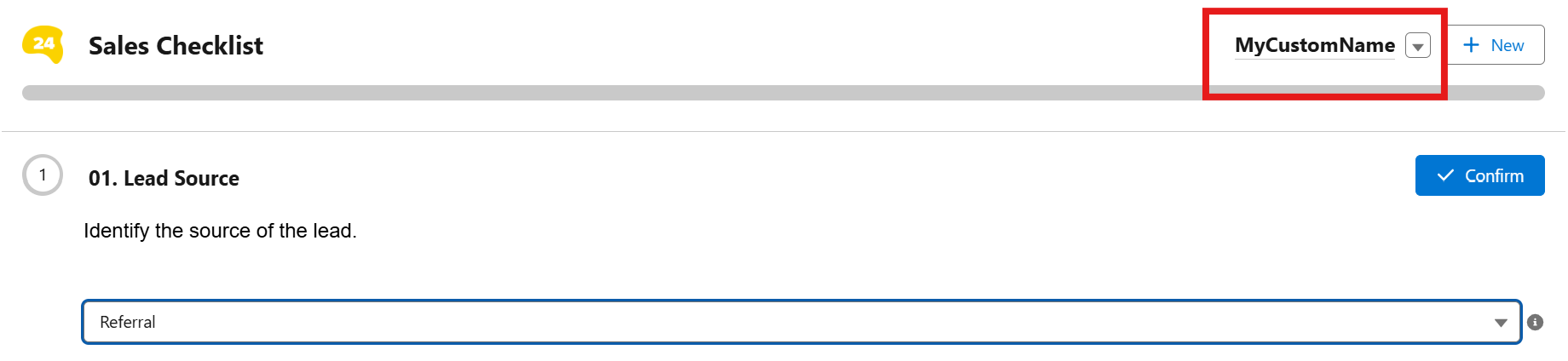
Now, you can give your checklist instances a custom name, either set by an admin in the back-end or chosen by the end-user on the record page.
More on the configuration here, look for the Instance Display Name section.
Releases
24Checklist v2.17 to v3.4