In some cases, you may want to present your users with prefilled values for the checklist checks. It is convenient and can save time, as the only thing your users still need to do is confirm the checks (provided the prefilled value is correct).
To populate these prefilled values, you can use Salesforce Flows.
You can create a Flow that triggers whenever a Checklist Result record.
The Flow then updates the respective Checklist Check Results records.
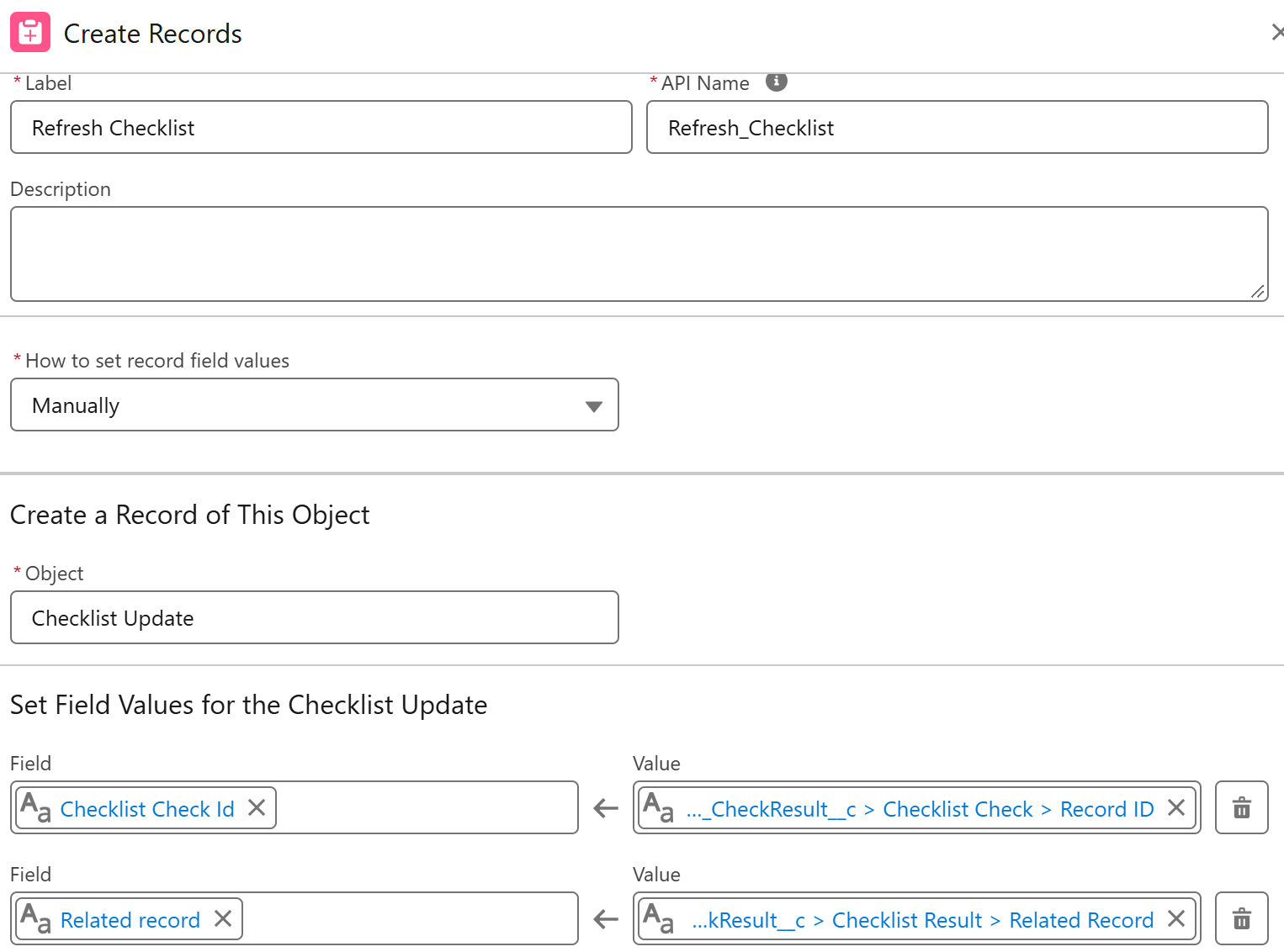
Finally, the Flow can throw the Checklist Update platform event that auto-refreshes the 24Checklist LWC component on your record page.
Here is an example Flow:
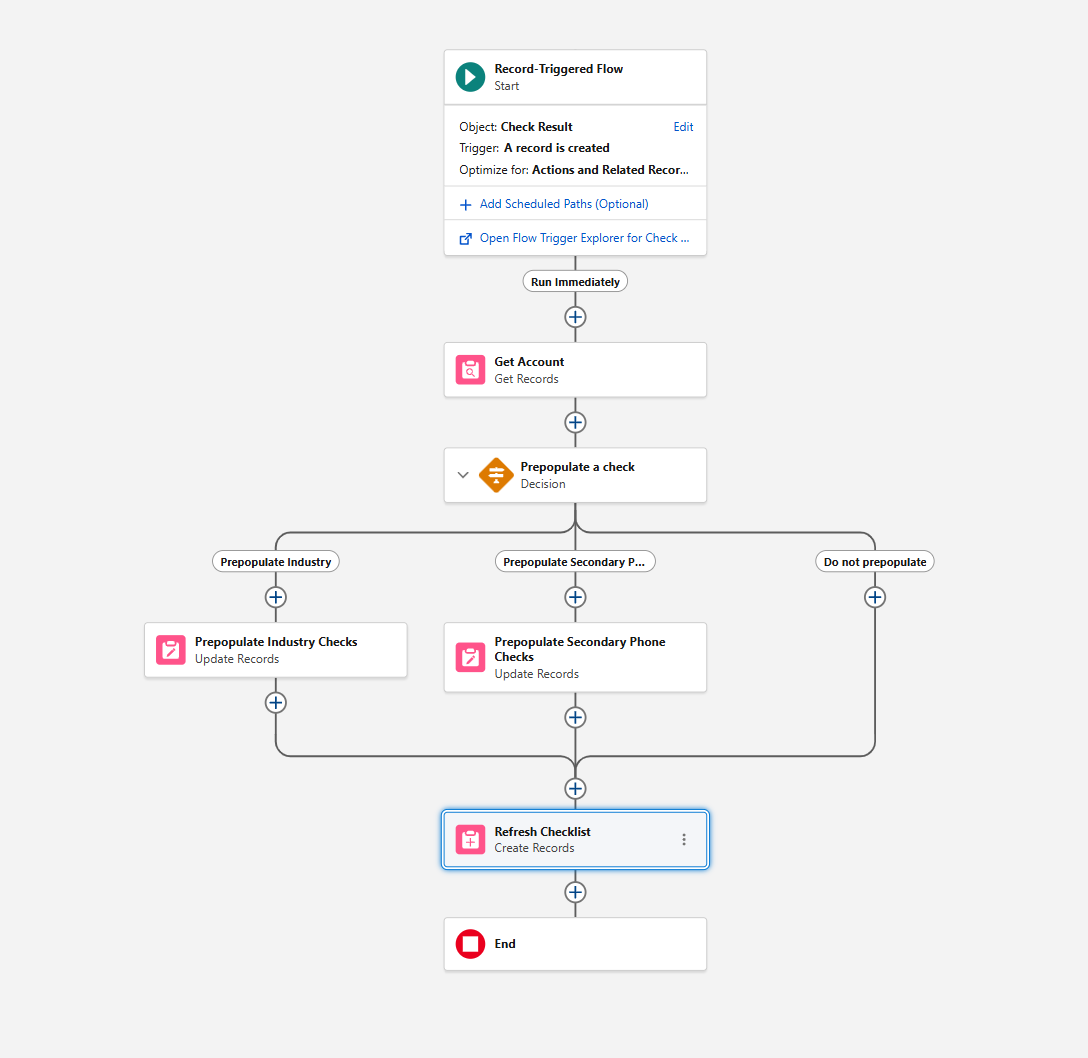
In this example, the Checklist Result is generated for an Account Record. Via the related object, the Flow gets the AccountId on the Checklist Result object.
Next, it updates the value field of the appropriate Checklist Check Results.
Finally, it refreshes the checklist by throwing the Checklist Update platform event that takes the Checklist Check recordId and the Account recordId as input.