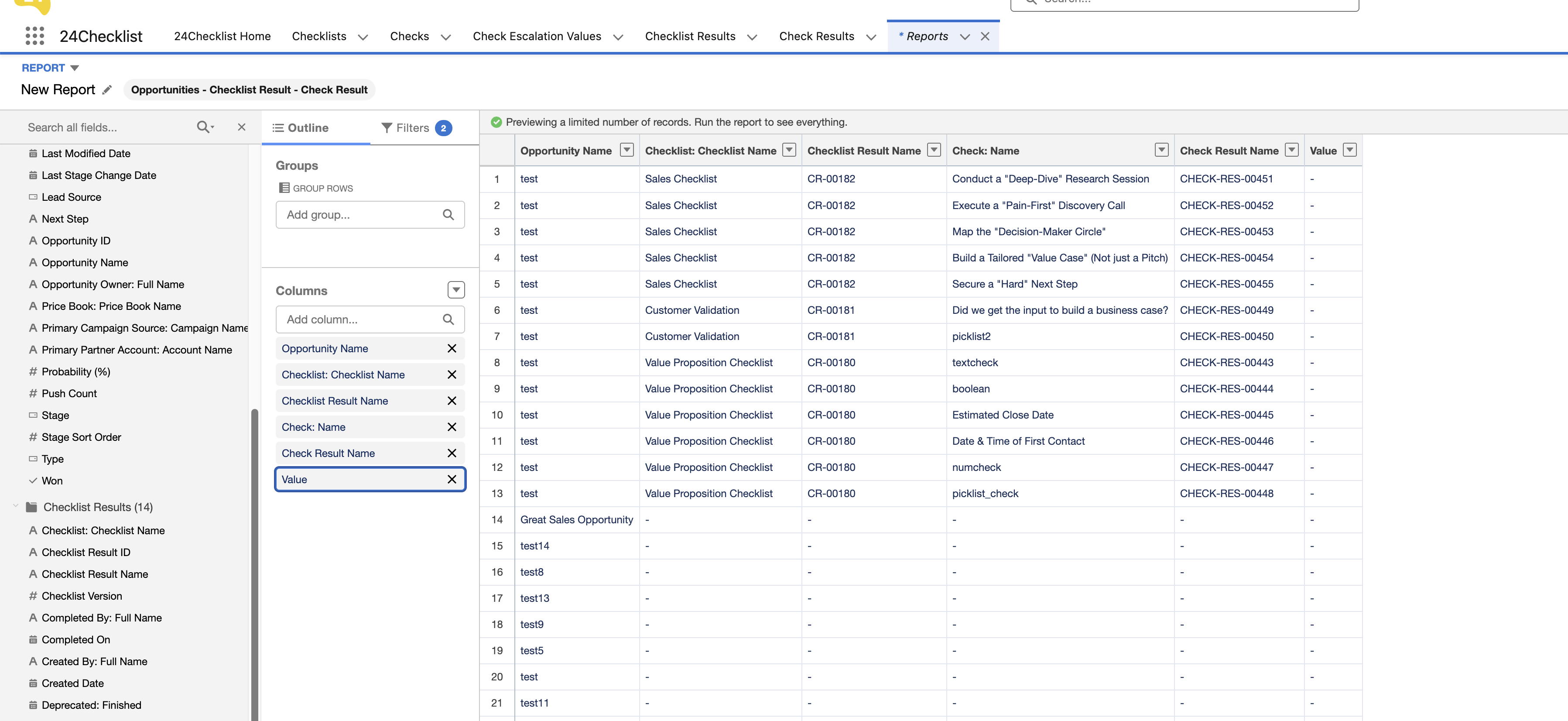
Use Checklist Results in Salesforce Reports
Checklist and Check Results provide detailed information on the progress of completing checklists, and you may want to report on them.
As an example assume you are using checklists for the Opportunity object and you would like to build a report based on the Opportunities and Checklist Results, i.e.
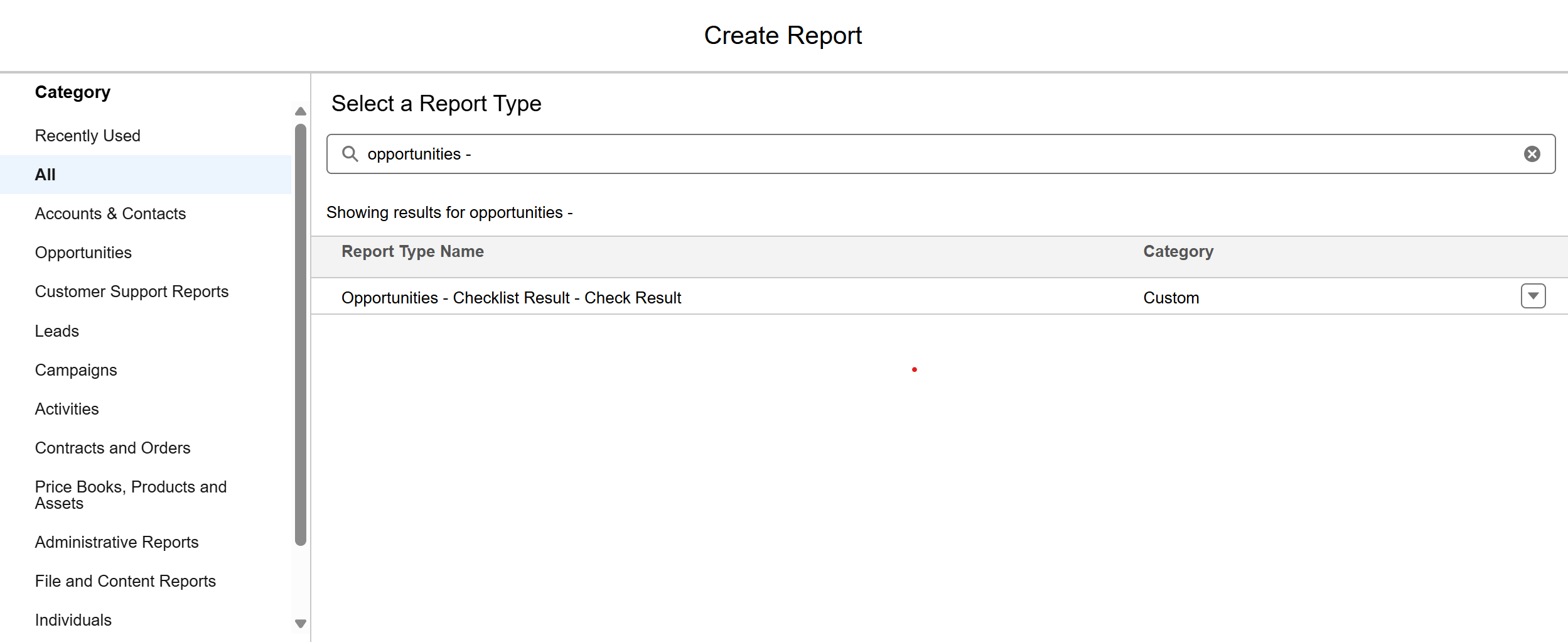
In order to make such a report, you need to:
Create and populate a look-up field from the Checklist Result to the Opportunity Object
Create a Custom Report Type
Lookup Field on the Checklist Result Object
Create a lookup field for the Opportunity on the Checklist Result object.
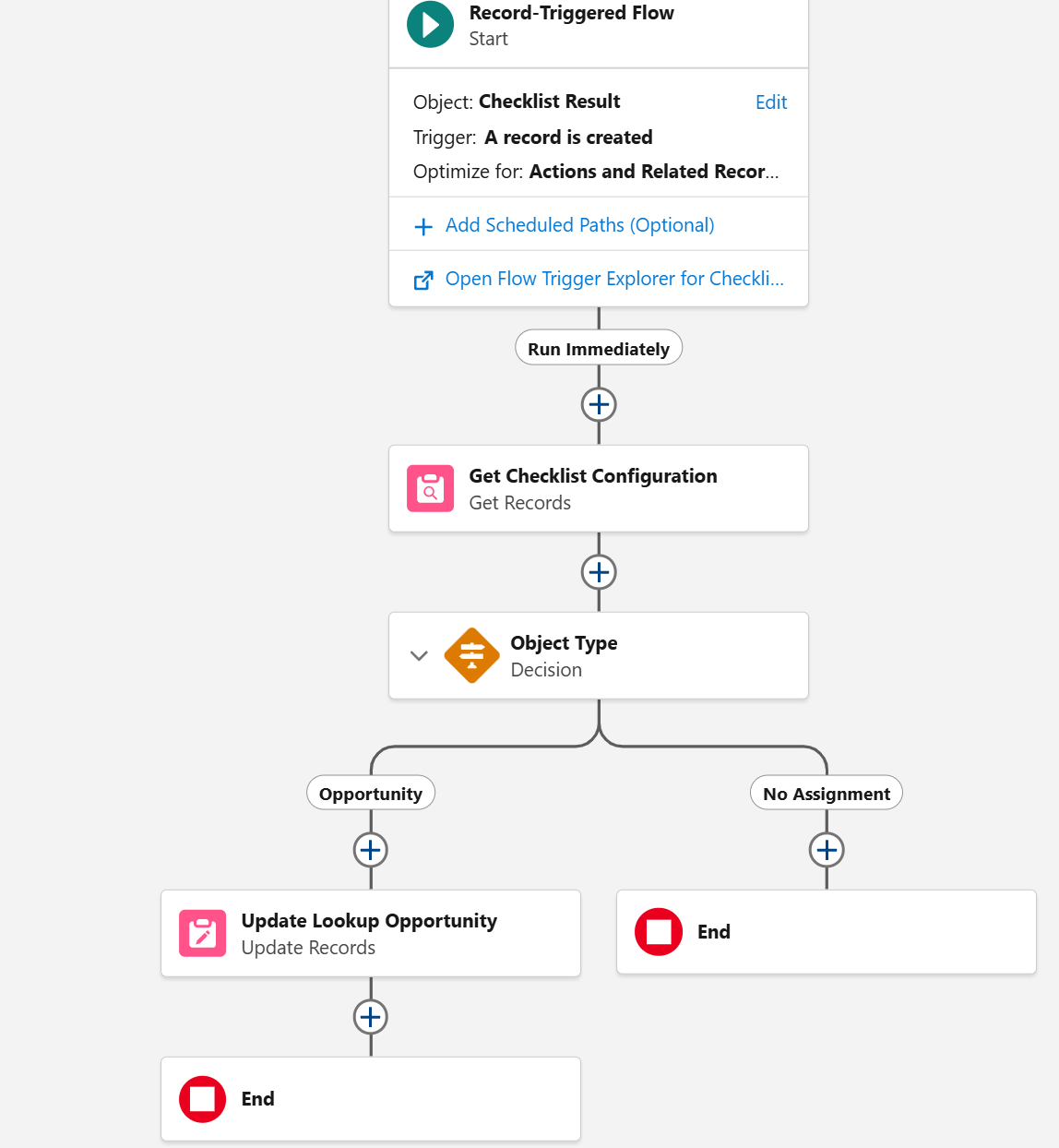
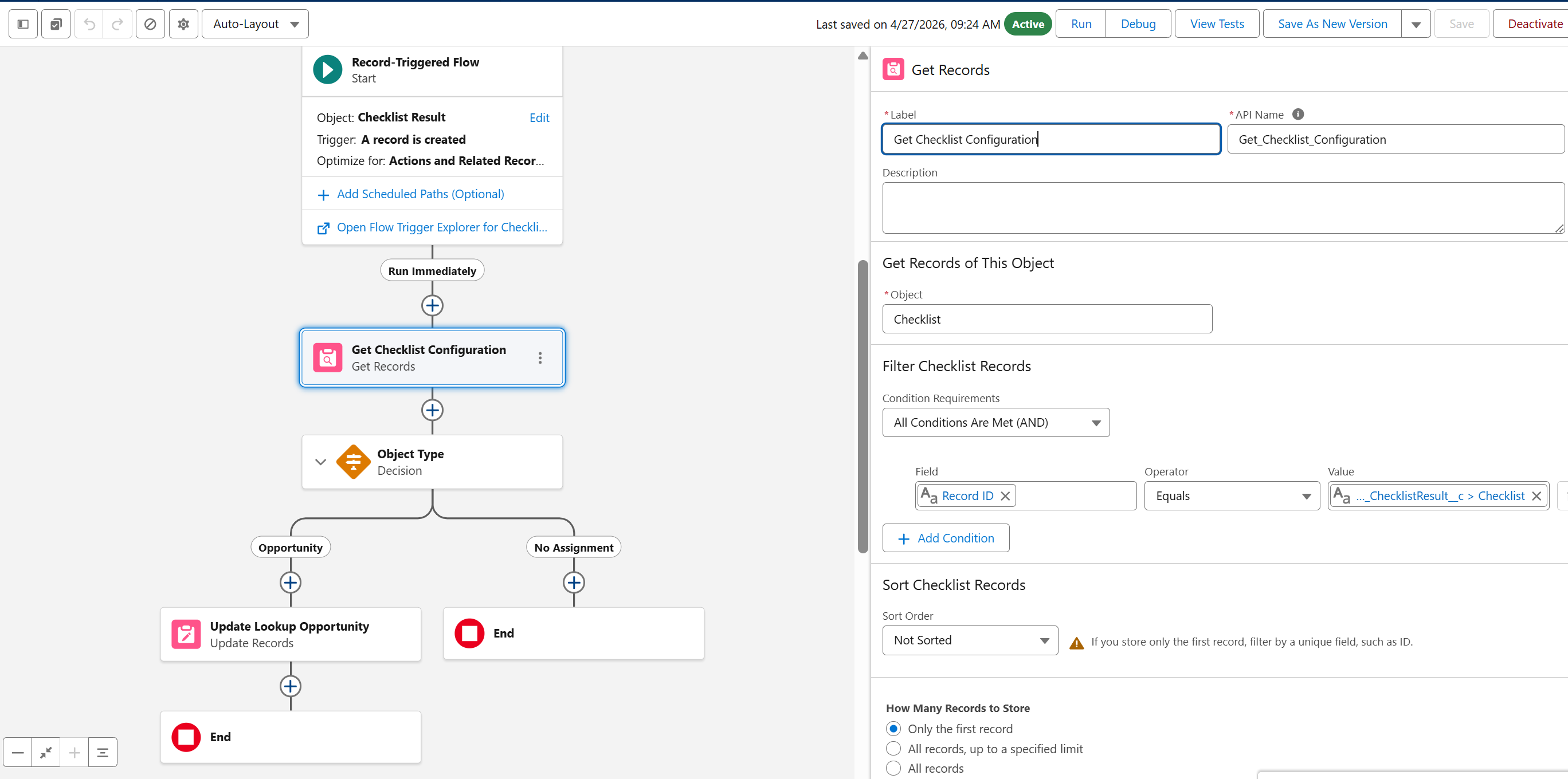
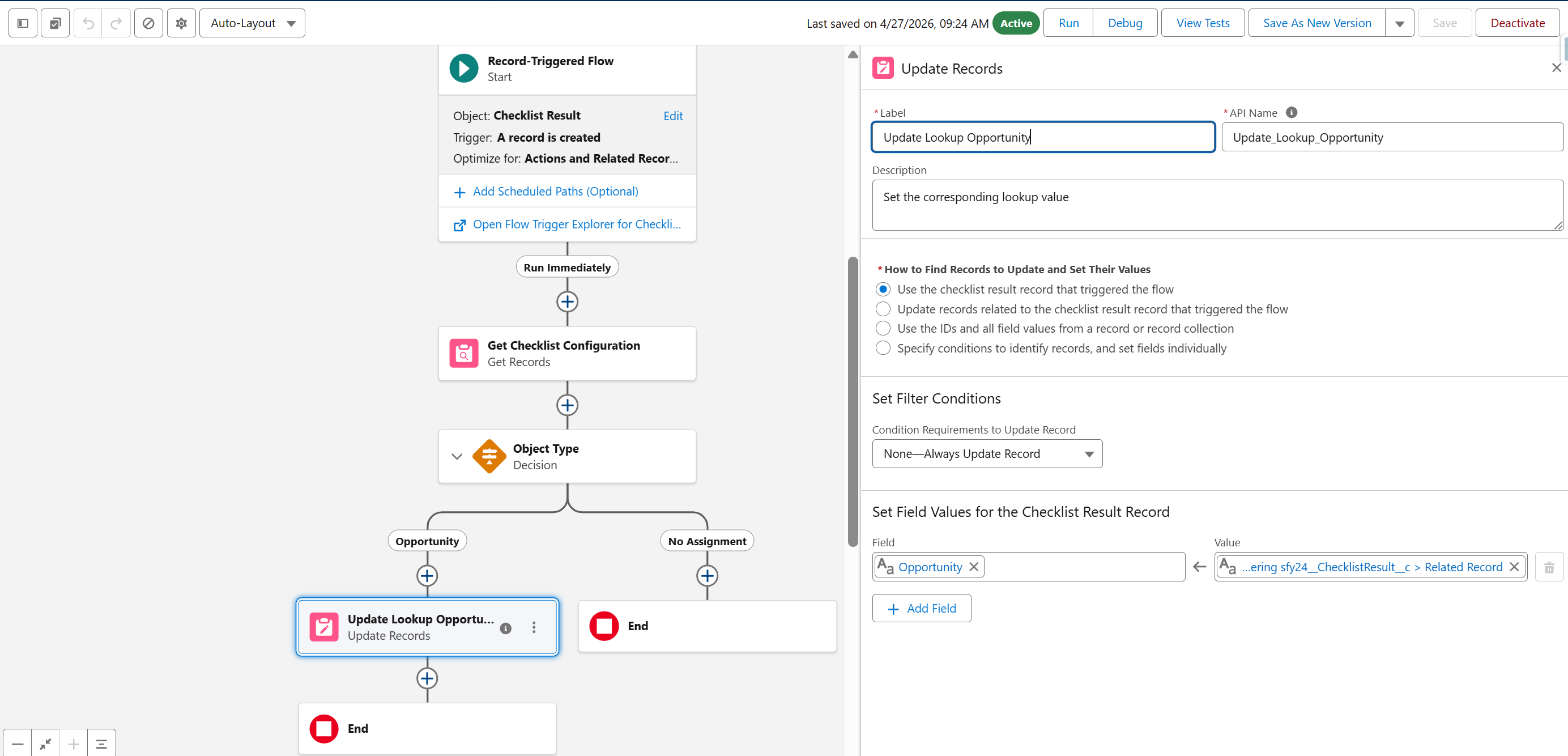
Create a flow that copies the related record field on the Checklist Result to this new lookup field on the same Checklist Result. See example flow below:
Create a Custom Report Type
Navigate to Setup > Report Types.
.webp?inst-v=49624122-dab2-40df-81a0-17e2fa3db42c)
Select the option that an Opportunity can exist without a Checklist Result.
.webp?inst-v=49624122-dab2-40df-81a0-17e2fa3db42c)
.webp?inst-v=49624122-dab2-40df-81a0-17e2fa3db42c)